
Live Web Chat Software1.2 - Download
You'll be able to download in few seconds.
Publisher Description
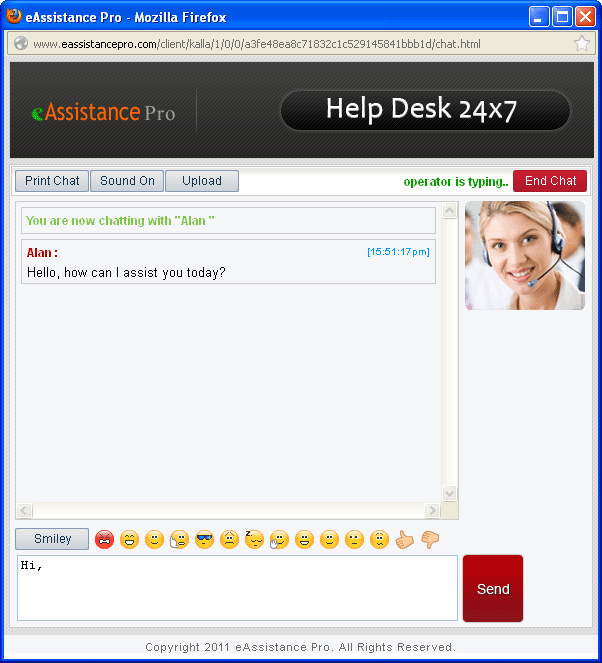
Monitoring large number of visitors over the website has become quite easy with the eAssistance Pro. It helps a Business organization in expanding its business through meaningful live chat sessions with customers. Live Web Chat software offer three types of Chat consoles i.e., Administrator console, Operator console and Visitor’s console. Administrator console allow website administrator to add operator accounts. It also lets admin person to accept or deny requests for the new visitor account. Operator chat console of the software provide web operator to send answers of the visitor’s queries. It also queue new chat messages of visitors while the web operator is busy in other tasks. Website operator can type message in the chat box of the Visitor console and send it to the Web operator. eAssistance pro also track visitors’ movement over a website and records visitor’s location, web access history and other details. Live Web chat software offer two types of Operator console i.e., Web based and Standalone. Web Based operator console of the software can be accessed at anywhere and anyplace whereas standalone operator console must be installed on desktop of the individual site operator. Live Web chat tool allows web operator to change the font style, size and color of the ongoing chat messages. It also tracks local time of the individual visitor and allows web operator to resize operator to operator chat Windows. eAssistance Pro is mobile friendly and can be used on all mobile web browsers such as Opera Mini, Safari, Google Android and others. Live Web Chat tool can be used by organizations absolutely free of cost for 30 days period. However, free version allows adding a single operator and department in the operator console. To use Live Web Chat software for unlimited period and add multiple operators or departments in the operator console, you must purchase the licensed version of software. For more details: www.livewebchat.org
About Live Web Chat Software
This Chat & Instant Messaging program is available in English. It was last updated on 29 September, 2026. Live Web Chat Software is compatible with the following operating systems: Windows.
The company that develops Live Web Chat Software is Live Web Chat. The latest version released by its developer is 1.2.
The download we have available for Live Web Chat Software has a file size of 13.6 MB. Just click the green Download button above to start the downloading process. The program is listed on our website since 2013-06-26 and was downloaded 0 times. We have already checked if the download link is safe, however for your own protection we recommend that you scan the downloaded software with your antivirus. Your antivirus may detect the Live Web Chat Software as malware if the download link is broken.
How to install Live Web Chat Software on your Windows device:
- Click on the Download button on our website. This will start the download from the website of the developer.
- Once the Live Web Chat Software is downloaded click on it to start the setup process (assuming you are on a desktop computer).
- When the installation is finished you should be able to see and run the program.
Program Details
System requirements
Download information
Pricing
Version History
version 1.2
posted on 2013-06-26
Disclaimer
External Download
We do not host Live Web Chat Software on our servers. We did not scan it for viruses, adware, spyware or other type of malware. This app is hosted by the software publisher and passed their terms and conditions to be listed there. We recommend caution when installing it.
The external download link for Live Web Chat Software is provided to you by apps112.com without any warranties, representations or guarantees of any kind, so access it at your own risk.
If you have questions regarding this particular app contact the publisher directly. For questions about the functionalities of apps112.com contact us.
